AI
Claude Artifacts are now desktop apps. What small teams can build without a developer
Describe the tool you need, test it as an artifact, and install it as a desktop app. No packaging, no code signing, no developer.
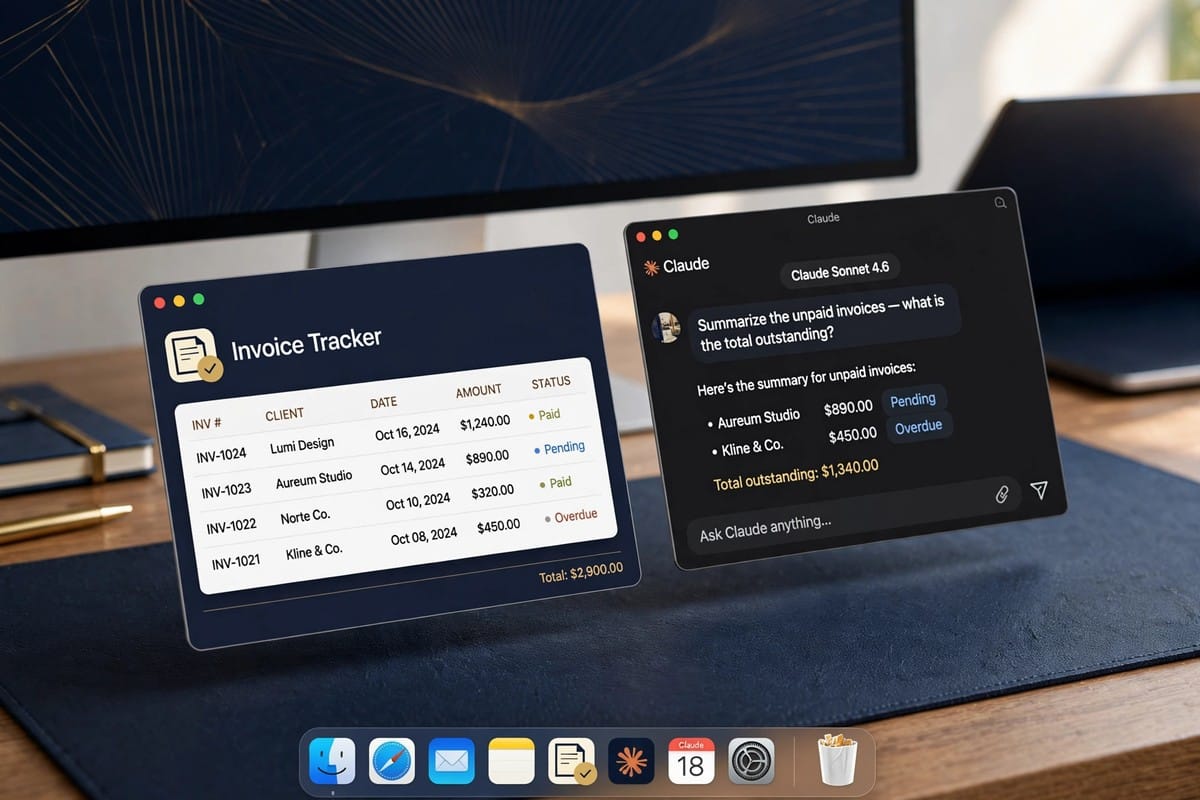
On 24 November 2026, Anthropic added an Install as app button to Claude for Mac and Windows. Describe the tool you need, test it as an artifact, and install it as a desktop app with its own icon and window. You do not package it, sign it, or write code. Anthropic handles the packaging and signing for you.
What changed
Artifacts used to live inside Claude: charts, pages, and small interactive tools you opened in chat. Now an artifact can leave the chat and live on your desktop. It gets its own icon, opens in its own window, and can use Claude and your connectors. It updates automatically when you edit the underlying artifact. It can send notifications and add an item to the menu bar on a Mac or the system tray on Windows.
Anthropic's own examples show the range. Linnet is a layered image editor. Phosphor is a file manager. Sift sets up folder rules and uses Claude to keep files organised. Tern is a terminal with Claude beside it. Vitals is a menu bar app for checking computer performance.
Three permission levels, and why they matter
Installed apps start with browser-level access, and you decide how much more to allow.
- Default: the app can only do what it could do in a browser.
- App permissions: the app can ask for desktop features Claude can tightly control, such as always-on-top windows, global shortcuts, and notifications.
- Full computer access: the app can run programs and read, change, or delete your files without asking each time.
Your permission covers only the current version, so Claude asks again after every update, even your own edits. Full access is only for apps you made yourself, or on Team and Enterprise plans, apps made by people in your organisation. Anthropic does not review apps before you install them, so only give full access to apps you trust.
What a small team can build this week
Keep the first app small and boring: one job, one screen, no file access. A quote calculator for your services. A client intake form that writes to a sheet. An invoice tracker that shows what is overdue. A price list tool for the shop floor. A meeting notes tidier that turns a messy transcript into actions.
Build it, use it for a week, then decide if it earns a wider role. The apps that survive are the ones that save ten minutes every day, not the ones that look impressive in a demo.
The limits to plan around
- You need to be online and signed in to Claude to open an installed app.
- Requests the app makes to Claude count toward your plan's usage limits.
- Claude Docs, Slides, and Sheets cannot be installed.
- On Team plans, the feature is on by default with full access off. On Enterprise, it is off until an owner turns it on. HIPAA-ready organisations and hybrid deployments cannot use it.
- It is a beta. Expect rough edges and behaviour that changes.
A safe way to start
- Pick one repetitive job that takes ten minutes a day.
- Describe the app to Claude in plain words and test it as an artifact first.
- Install it, keep permissions at Default, and use it for a week.
- Only then consider App permissions, and only for apps your own team built.
- Write down who built each app and what it can touch, so a leaver does not leave a tool behind with file access.
Takeaway
The point is not that every small business should build apps. The point is that the distance between an idea for a small internal tool and a working desktop app has collapsed to a conversation. The risk is not the technology. It is handing a tool more access than its job needs. Start narrow, keep the permissions tight, and let the useful apps earn their place.
Read more about desktop AI agents in our article on Gemini driving your Mac. If a small internal tool should grow into something bigger, our workflow automation service and custom development service can help you plan it.
Frequently asked questions
Do I need to know how to code to build an app with Claude?
No. You describe the app in plain words, test it as an artifact, and click Install as app. Anthropic handles packaging and signing.
Does Install as app cost extra?
No. It is rolling out in beta on all plans, and a free account is enough to try it. Requests the app makes to Claude count toward your plan's usage limits.
Can I share an app I built with my team?
Yes, you can share installed apps with others. On Team and Enterprise plans, full computer access is only available for apps made by people in your organisation.
Is it safe to give an app full computer access?
Only give it to apps you built yourself, or that someone in your organisation built, and only after you understand what the app does. Anthropic does not review apps before you install them.
What happens if I am offline?
You need to be online and signed in to Claude to open an installed app. Some artifacts, including Claude Docs, Slides, and Sheets, cannot be installed at all.
Working on something like this?
Tell us what you are building. We reply to every enquiry.
Related service: AI Search Visibility (GEO)

Black Friday AI deals 2026: what is worth it for a small business, and what is not
Black Friday is today, 27 November 2026. This guide lists the verified AI offers for small businesses, with prices and end dates, and one clear rule for what not to buy.
Read article
Berlin takes a 1 euro stake in Cohere. What sovereign AI means for German SMEs
Germany will take a symbolic 1 euro stake in Cohere, with wide governance rights. This article explains sovereign AI in plain terms and what it means for German SMEs.
Read article
Canada will pay up to 80% of your AI compute bill. What small firms can claim before the deadlines
Canada expanded its AI Compute Access Fund to 1 billion dollars. This plain guide explains the 80 percent and 50 percent rates, the project size limits and the two December and January deadlines.
Read article